Sunday, November 10, 2013

LunchBox for Dynamo 2013.11.11

I have posted a new LunchBox package for download by Dynamo users.  The intent of the package is to provide a growing list of Dynamo nodes for commonly used computational design techniques and other helpful nodes for data management.  Some of these nodes replicate a key nodes found in Grasshopper that are not yet included in Dynamo's core.  You can find my LunchBox plug-in for Grasshopper here... 

You can access LunchBox for Dynamo by visiting the "Search for a Package" under the packages menu.  As of this release, the package includes the following nodes...  Please note that you may need to get one of the latest Daily Builds of Dynamo for these to work properly.

Domain
  • Domain Variables:  Gets the Min and Max variables from a domain.
  • Get Domain:  Gets the domain from a list of numbers.
  • Remap Numbers:  Takes a list of numbers and maps them to a new domain.
Math
  • Mass Addition:  Adds a list of numbers
  • Mass Multiplication:  Multiplies a list of numbers
Curtain Panel
  • Curtain Panel Collector:  Gets a list of Curtain Panel instances in the document by Family Name
  • Adaptive Component Collector:  Gets a list of Adaptive Components in the document by Family Name
Random
  • Random Numbers:  Produces a list of Random Numbers using a Domain, Amount, and Seed.
  • Random Split List:  Randomly split a list into two lists.
Panel Grids by Face (previously found in the XYZ Cells by Face package)
  • Quad Grid by Face
  • Staggered Grid by Face
  • Diamond Grid by Face
  • Triangle Grid by Face

Sunday, October 27, 2013

Autumn Workshop Recap - Dynamo


It has been an excessively busy autumn season for workshops.  In September, we rolled out a series of workshop curricula for Rhino, Grasshopper, and DIVA.  This October has been a non-stop Dynamo frenzy.  I have had the pleasure of delivering Dynamo workshops to groups at firms including NBBJ, RDG, AECOM, and Adrian Smith + Gordon Gill.  Finally, I capped off the month with a day long Dynamo workshop at Facades+ in Chicago!

Whew!

So what were those Dynamo workshops all about?  I have had several blog posts in recent months about Dynamo and its potential to be a valuable and much needed addition to the Revit workflow.  Dynamo is still in the fledgling stages of maturity and is certainly far form reaching 'Grasshopper-status' in terms of being a pervasive tool.  But surely that wouldn't stop readers of this blog from trying it out...Right?  It sure hasn't stopped some of the world's top architecture and design firms from trying their hand at it...


Dynamo Workshops

The Dynamo workshops start with the basics and then build towards an architectural application.  The fact that Dynamo sits on top of the Revit application already adds several layers of complexity to the overall workflow that users need to be aware of.  For one, Dynamo can be used in conjunction with Revit projects... or Revit families.  We can also mix and match standard Revit modeling techniques with Dynamo in ways that you cannot do with a look like Grasshopper which is more linear in its relationship to its core platform.

Geometry

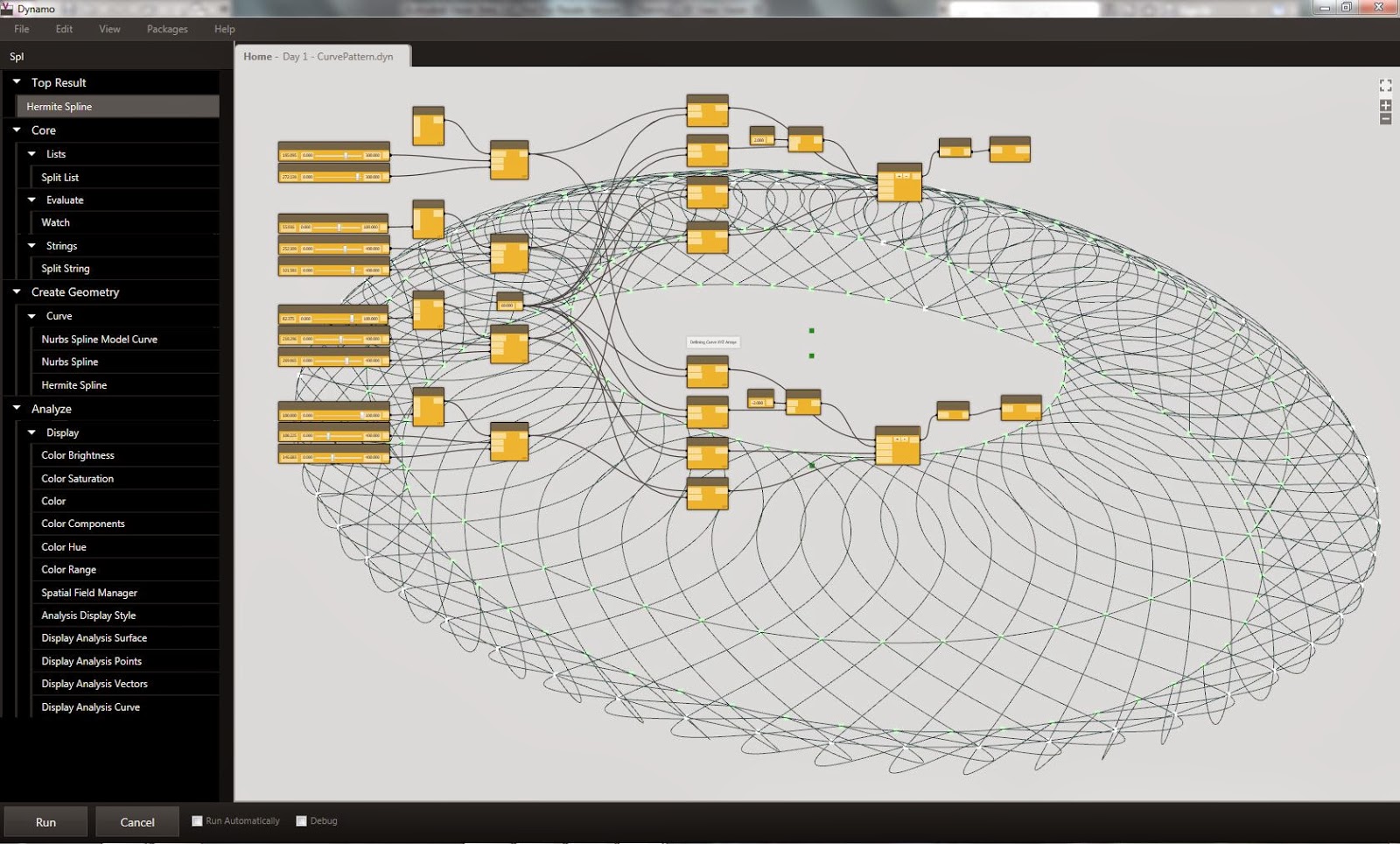
The workshops then proceed into the geometric development of Revit elements inside of the massing environment.  During this phase, I walk participants through the opportunities for using Dynamo to develop geometric data and create conceptual forms.
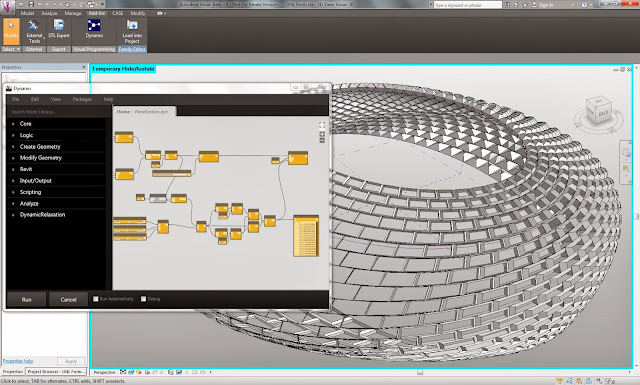
Stadium exterior spline geometry definition.
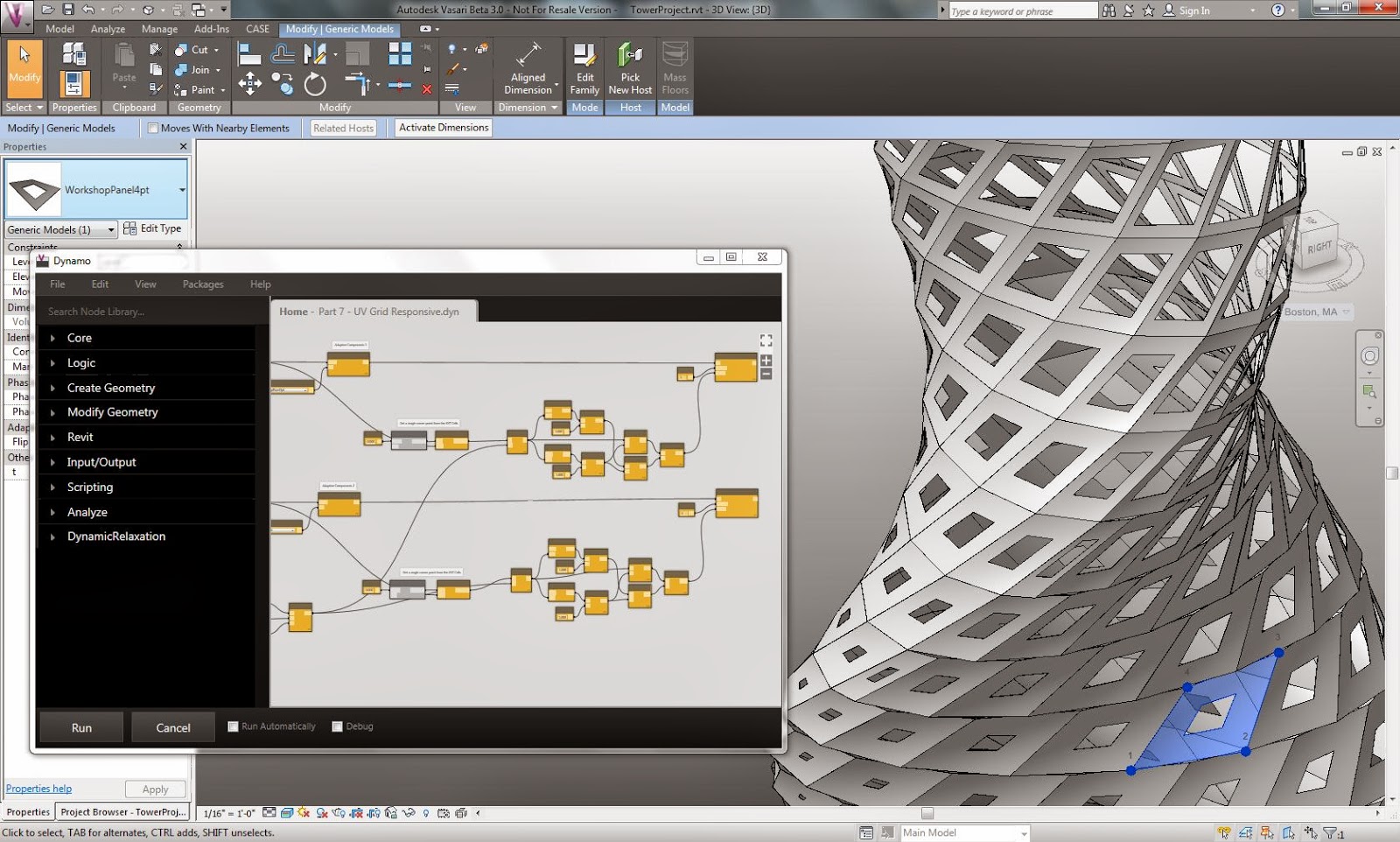
Conceptual tower form definition.
Components

Following the creation of geometry, the workshops then look at how Dynamo can be used to create and control Family elements such as adaptive components.  As part of this phase, the participants are also guided through basic Adaptive Component creation techniques.  We also made use of my custom XYZ Cells nodes available through the package manager.
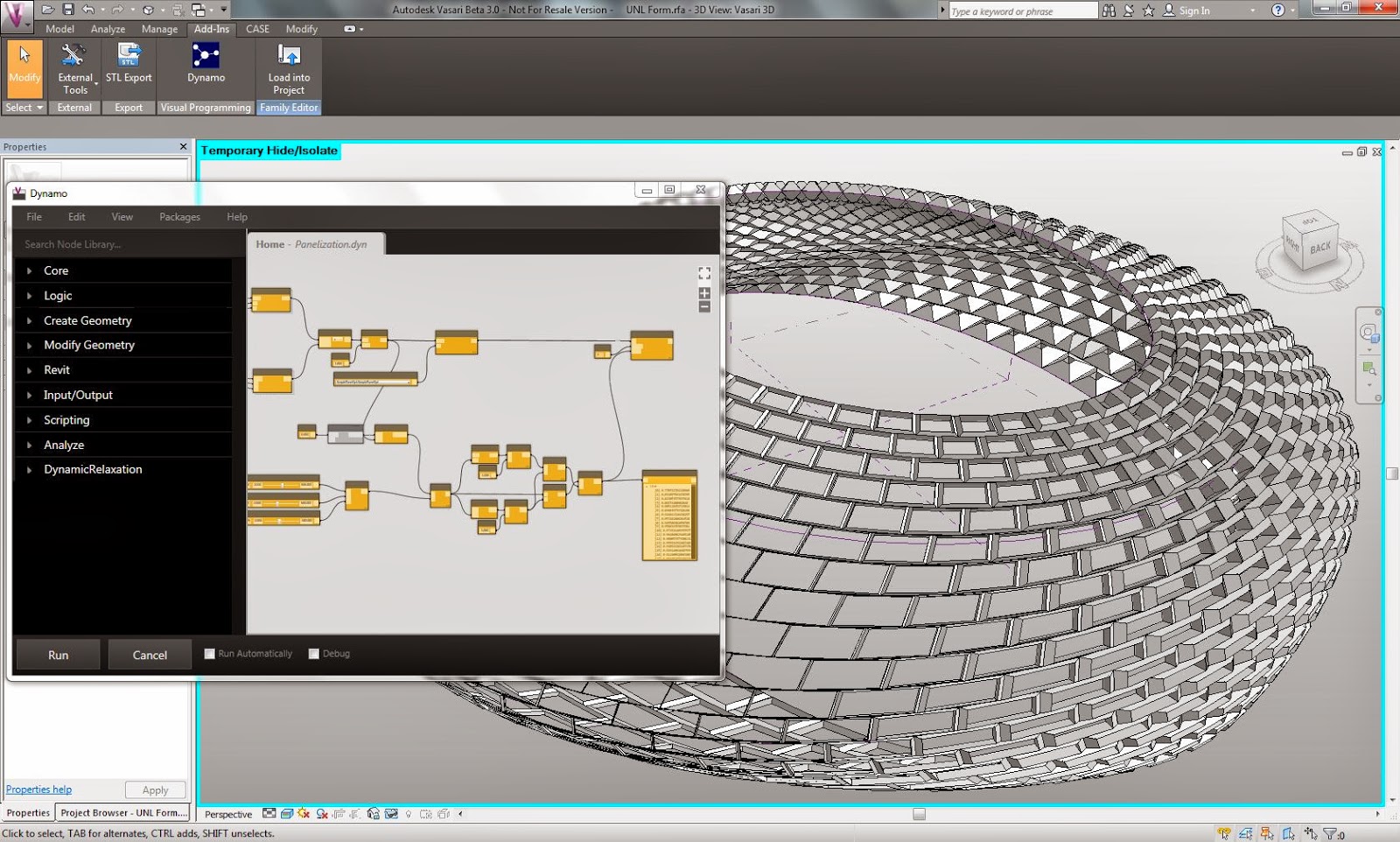
Adaptive component panels.
Adaptive component pipes.
More panel craziness...
Parameters

After using Dynamo to create and place Revit elements, we then explored the use of Dynamo to manipulate Family instance parameters.  Given a paneling system, we created a simple point attractor relationship which was used to change an instance parameter for opening size.
Adaptive component panels with a variable instance parameter.
More adaptive and instance parametric goodness.
Workflows

Finally, the workshops addressed several opportunities for using Dynamo in the context of larger project workflows.  Dynamo has a set of Excel components which can read and write information using Excel worksheets.  The workshops used the excel nodes to parse pre-existing information and use the data to re-create complex structures originally derived in other programs, such as Grasshopper.
Space truss reconstructed using Excel data.

Sunday, September 29, 2013

Facades+ This Month!!!


The Facades+ PERFORMANCE conference is just around the corner.  Join me and other great speakers and instructors in Chicago on October 24-25 for some fantastic presentations, discussions and workshops!


I will be moderating the Innovation panel discussion on October 24. We will discuss how new information-based technologies are informing the contemporary discourse on building and facade performance.

The Innovation Panelists will be...
  • Franklin Lancaster (Eckersley O’Callaghan) 
  • Matt Herman (Buro Happold) 
  • Jonatan Schumacher (Thornton Tomasetti)
On October 25th, I going to be giving a Facades+ Tech Workshop:

Parametric BIM: Facade Design Using Dynamo for Autodesk Revit

Dynamo is an open source graphical programming language for Autodesk Revit and Vasari. Dynamo can be used to customize a wide variety of computational design processes within Revit’s Building Information Modeling environment. This workshop will explore how Dynamo can be used as a took for studying parametric facades. Participants will learn how to use Dynamo for generating facade geometry, deploying Revit families, utilizing analysis information, and managing complex parameters.


Sunday, September 15, 2013

Porting Panels for Dynamo

Dynamo has introduced a pretty cool way to share custom nodes and graphs.  To give this a try, I ported a few scripts from my Lunchbox plug-in to Dynamo custom nodes.  Users can search and install these scripts by looking for the XYZ Cells by Face package...

Contents
  • XYZ Quad Grid  by Face
  • XYZ Triangle Grid by Face
  • XYZ Diamond Grid by Face
  • XYZ Staggered Grid by Face

Custom user nodes can be installed through Dynamo's package manager.
The new Dynamo package manager... nice concept for distributing custom nodes!

The XYZ Cell nodes utilize some custom Python scripts.  Feel free to re-use and modify :)
A few different patterns made up of Adaptive Component panels

Saturday, September 7, 2013

Crossing the Streams... with more Interop!


So you may have noticed that many of the interoperability studies have been one-way connections from Grasshopper into Revit.  More often than not, we have found that teams are generally following a linear path for design to production with the Revit model and drawings being the final deliverable.  Technically, however, the solutions we have been developing are quite non-linear in nature... data is free to move in any direction through senders and receivers.

Here is an example of moving data from Revit into Grasshopper.  There may be any number of reasons you might want to do this... For example, creating references to key project datums, developing systems in relation to Revit geometry, or even simple data visualization.


The interop process creates a live link between Revit elements and the Grasshopper model.
Once the data is in Grasshopper, it can be used for reference or as the basis of a definition.